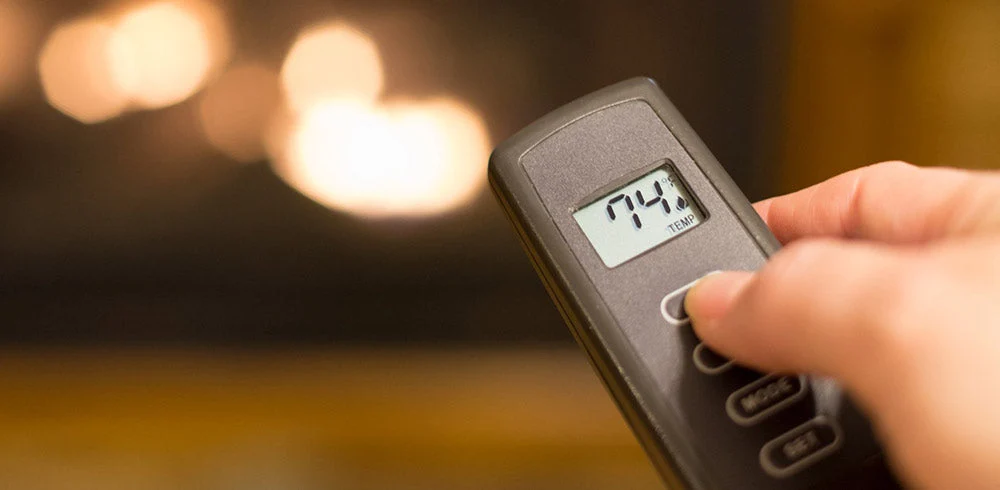

To program or re-sync a Skytech fireplace remote on a compatible receiver, move the receiver switch to REMOTE, briefly press and release LEARN, then press ON on the handheld remote after the receiver beeps. Listen for the confirmation beeps, then test whether the remote turns the fireplace on and off. If your model uses a different button or beep sequence, follow its instructions.
If your Skytech fireplace remote isn’t working, start with the batteries in both the handheld remote and the receiver. The video and photos below show how to find the receiver, pair the remote, and tell when a memory reset may help.
How to Program or Re-Sync a Skytech Fireplace Remote
Programming, pairing, and re-syncing all refer to connecting the handheld remote to the receiver. Use the steps below if your Skytech receiver has a LEARN button and an ON/REMOTE/OFF switch and your model’s instructions match this sequence.
1. Locate the receiver and set it to REMOTE
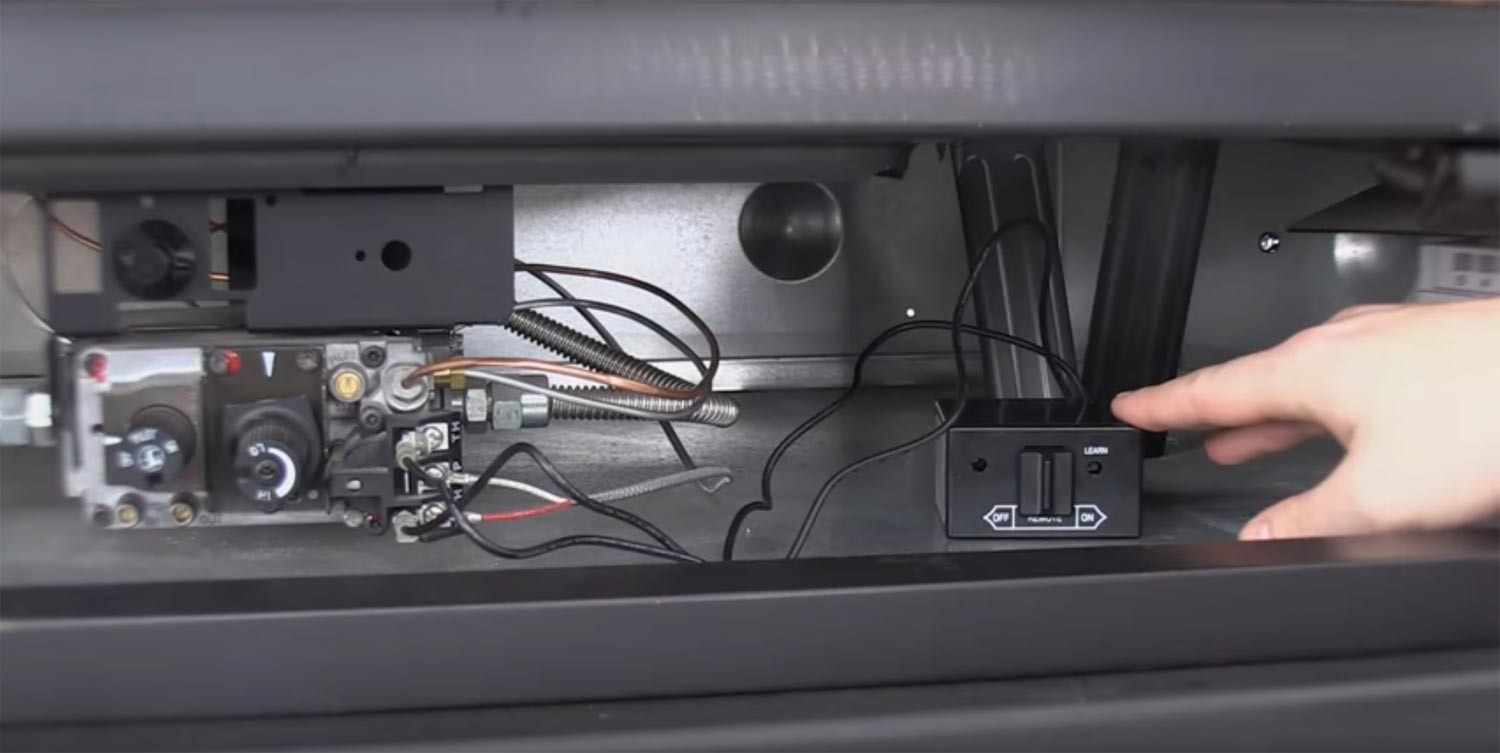
The receiver is the box that picks up the signal from your handheld remote. Check your fireplace manual for its location. It may be behind the lower access panel, as shown below. Move the receiver switch to REMOTE before pairing.
2. Check the batteries in both units
Check the batteries in the handheld remote and in the receiver if it’s battery-powered. Install fresh batteries of the type specified for each unit, matching the plus and minus markings in the compartments.
3. Press and release the LEARN button
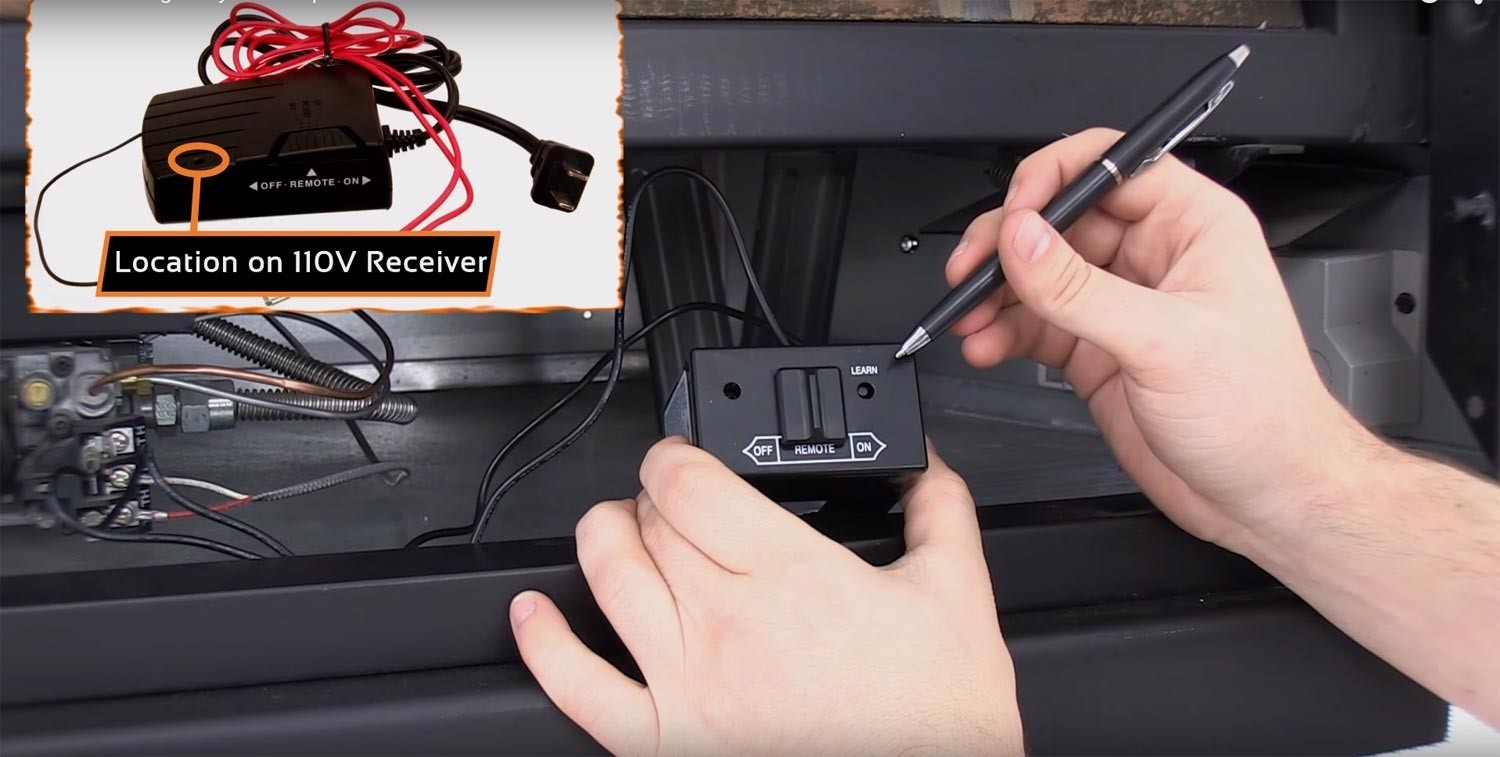
Find the LEARN button on the receiver. If it’s recessed like the one shown below, use the tip of a pen to reach it. Press and release the button, then listen for the receiver’s pairing beep.
4. Press ON on the handheld remote
As soon as you hear the pairing beep, press ON on the handheld remote or use the button specified in your model’s instructions. Listen for the confirmation beeps, then test the remote’s on and off functions while you’re at the fireplace.

Skytech Fireplace Remote Not Working? What to Check
| What you notice | What to check next |
|---|---|
| The receiver doesn’t beep when you press LEARN | Confirm the switch is in REMOTE and the receiver has power. If it uses batteries, check their orientation. If it’s still silent, see whether your receiver’s manual calls for clearing the saved codes. |
| The receiver beeps when you press LEARN but doesn’t confirm pairing | Check the handheld batteries, try again close to the receiver, and confirm that the transmitter is compatible with the receiver. |
| The fireplace works in manual ON but doesn’t respond in REMOTE | Return the switch to REMOTE. Check the handheld batteries and try pairing again. This result helps narrow the issue to the remote-control side of the system. |
| The fireplace also fails to respond in manual ON | If your fireplace manual permits the manual ON test and the fireplace still doesn’t respond, stop troubleshooting the pairing and contact a qualified fireplace technician. |
How to Reset a Skytech Fireplace Remote Receiver
Try clearing the receiver’s saved codes if normal pairing fails after you’ve checked the batteries and switch position and your model’s instructions call for it. Clearing the memory removes saved pairings, so you’ll need to pair any compatible remotes you still use.
For a Skytech 1001TH-A receiver, set the switch to REMOTE, hold LEARN for 10 seconds, then release it. Three long beeps confirm the codes have cleared. Then repeat the pairing steps above. For a different receiver, follow the instructions for that model.

Frequently Asked Questions
Do I need to re-sync my Skytech remote after replacing the batteries?
Test the remote after installing fresh batteries and setting the receiver to REMOTE. If the fireplace responds, you can continue using it. If it still doesn’t respond, follow the pairing steps for your receiver model.
Can I program a new Skytech remote to my existing receiver?
Yes, if the replacement transmitter is compatible with your receiver. Check both model numbers before ordering. If you can’t confirm the match, ask a fireplace product specialist whether you need a replacement transmitter or a matched transmitter-and-receiver kit.
Why does my Skytech receiver keep beeping after pairing?
Repeated beeping outside the pairing process can be an alert. Note when it starts and the pattern of the beeps, then check the troubleshooting section in your receiver manual. The meaning can vary by model.
Find a Compatible Skytech Replacement Remote
Skytech makes fireplace controls ranging from simple on/off remotes to thermostatic kits like the Skytech 1001TH. The right replacement depends on your existing receiver and fireplace control system.
Browse Skytech fireplace remotes or shop all fireplace remotes. If you’re unsure what fits, contact our product specialists with the model numbers from your handheld remote and receiver. A photo of each label can help us identify the right replacement.