
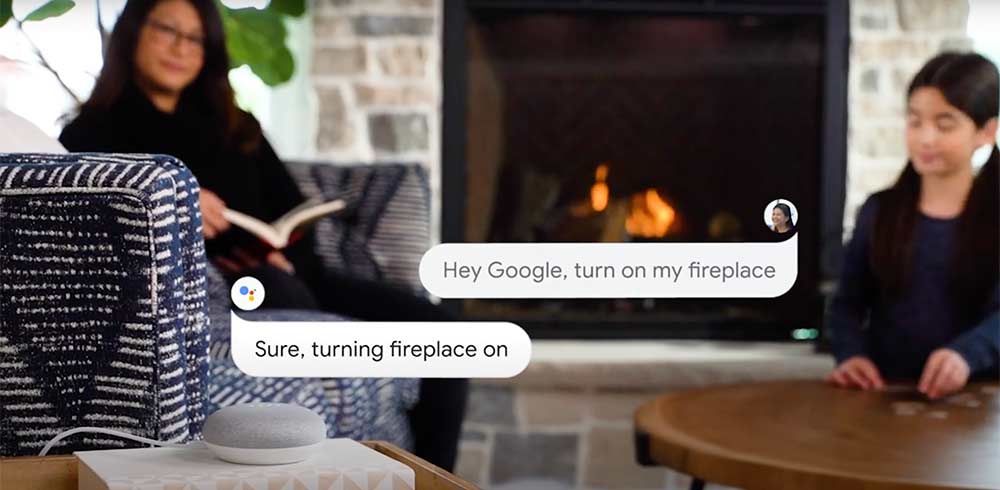
To automate a fireplace, start with the model number and find out which controls it supports. A compatible remote can give you simple on/off control or a room-temperature setting. Some gas fireplaces support a Wi-Fi module or Bluetooth controller, and many Amantii and Modern Flames electric fireplace models offer built-in Wi-Fi for phone control. The right choice depends on the fireplace you own and what you want to control.
Fireplace Automation Options at a Glance
| Fireplace type | Control options to look for | What to verify |
|---|---|---|
| Millivolt gas | Compatible on/off or thermostatic remote, or a supported Bluetooth module | Whether the fireplace and its valve are listed for the control |
| Electronic ignition gas | Factory remote or a Wi-Fi module for a supported control system | The exact ignition module and any required accessories |
| Electric | Included remote or manufacturer app on Wi-Fi models | Which flame, lighting, and heat settings the app supports |
| Traditional wood-burning | Manual fire starting and tending | Operating instructions for the fireplace and any listed accessories |
How to Check Which Controls Fit Your Fireplace
- Find the make and model number. Check the rating label or your purchase paperwork. If the fireplace already has a remote, note the model numbers of the remote and receiver if they’re accessible as described in the owner’s manual.
- Identify the control system. For a gas fireplace, look for terms such as millivolt, intermittent pilot ignition (IPI), or the name of the electronic control system. For an electric model, look for Wi-Fi or app control in the model’s feature list.
- Pick the function you want. An on/off remote controls basic operation. A thermostatic remote can cycle the fireplace to maintain a set temperature. A shutoff timer ends a session after a set time. If you want phone or voice control, confirm the exact functions the app or voice assistant supports.
- Match the accessory to the fireplace. Check the manufacturer’s accessory list for your exact model and control system. If a gas upgrade requires changes to wiring or controls, have a qualified fireplace technician confirm compatibility and install it according to the manufacturer’s instructions.
How to Automate a Gas Fireplace
Start With a Compatible Remote
If you want to turn the burner on from your seat or set a room temperature, start with a compatible fireplace remote. The Napoleon F60 On/Off Fireplace Remote With Thermostat offers both functions for compatible systems. The Superior RC-S-TOUCH Touchscreen Fireplace Remote also offers on/off and thermostatic control, with separate weekday and weekend programs on compatible fireplaces. Check the appliance instructions before using programmable modes.
Add Bluetooth or Wi-Fi Where Supported
For a compatible millivolt system, the iFlame Firebug Bluetooth Module offers phone control over Bluetooth. The separately sold iFlame Smart Home Bluetooth Wi-Fi Hub adds Wi-Fi and smart-home integration to compatible iFlame setups. Check which receiver or module you have and whether it supports the hub before ordering.
For compatible Hearth & Home Technologies fireplaces equipped with IntelliFire Touch, the Majestic IntelliFire Wi-Fi Module connects the fireplace to the IntelliFire app for iOS or Android. The app can handle on/off control, with features such as flame-height adjustment and timers depending on the fireplace configuration. The module requires a compatible IntelliFire Touch control module.
Shopping for a new gas fireplace? The Superior DRL3555 Electronic Ignition Gas Fireplace is an example of a model that comes with a factory remote that adjusts flame height.
How to Control an Electric Fireplace From Your Phone
Look for built-in Wi-Fi and check what the manufacturer’s app controls. If you like the look of the flames in warmer weather, for example, check whether you can run the flame effect independently of the heater. The models below give you a few installation styles to compare.
- Slim built-in: The Amantii Panorama Extra Slim Built-In Smart Electric Fireplace offers smartphone control and includes a thermostatic remote.
- Linear: The SimpliFire Triton Linear Electric Fireplace offers a Wi-Fi app and a handheld remote.
- Traditional insert: The Modern Flames Orion Traditional 36-Inch Electric Fireplace Insert pairs app-enabled Wi-Fi control with a traditional fireplace shape.
- Wall mount: The Remii Extra Slim 65-Inch Wall-Mount Electric Fireplace lets you change flame colors through its Wi-Fi app or included remote.
Can You Automate a Wood-Burning Fireplace?
A traditional wood-burning fireplace is designed for manual fire starting and tending. If app control is a priority and you want to keep the look of an existing fireplace opening, consider a compatible electric fireplace insert with built-in Wi-Fi.
Frequently Asked Questions
Can I use Alexa or Google Home to control my fireplace?
Some fireplace systems support Alexa or Google Home through a compatible Wi-Fi module or hub. Check which voice platform and commands your setup supports. A system may offer on/off voice commands while keeping flame height or other settings in the app.
Will my fireplace controls work during a power outage?
Check the owner’s manual for your exact model. Some gas fireplaces can operate without household power or use a battery backup, but individual features may be limited. Wi-Fi controls also need the network equipment they rely on to have power.
Can I control an electric fireplace with a smart plug?
Use the controls specified by the fireplace manufacturer. Some electric fireplaces prohibit external switching devices. If phone control is a priority, look for a model with built-in Wi-Fi and confirm which features its app controls.
Find the Right Control for Your Fireplace
Have the model number handy? Browse our fireplace remotes or contact our product specialists with your fireplace model, any existing remote or receiver model, and the features you want. We can help you narrow down the options before you order.