
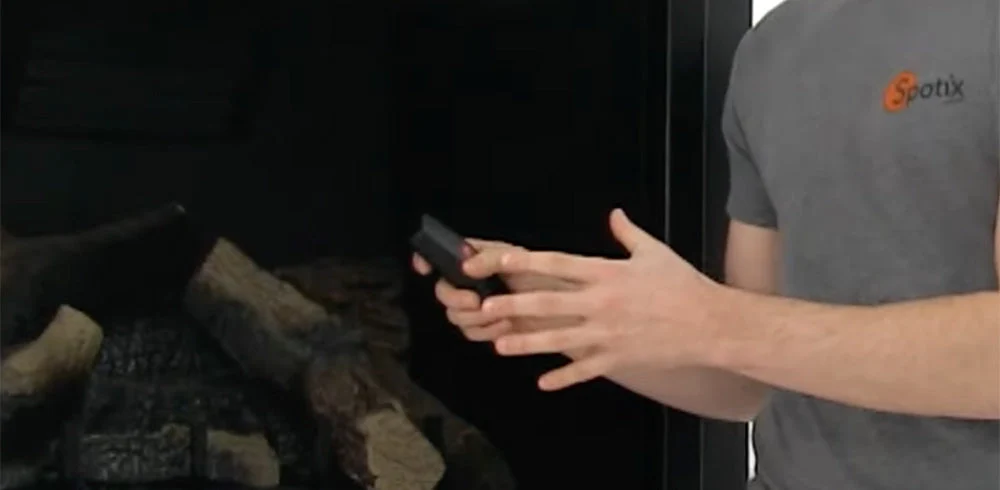
If your Ambient fireplace remote control is not working, start with the batteries, receiver switch position and communication settings. A weak battery or mismatched privacy code can interrupt operation without requiring a replacement remote.
Ambient systems vary by model. Some use matching DIP switches in the transmitter and receiver, while others require a learning procedure. Check the model numbers on both components before following reset or pairing instructions.
Before You Begin Troubleshooting
Turn the fireplace off and allow it to cool before accessing the receiver or battery compartment. Only access controls identified for homeowner use in your fireplace manual. Do not disconnect wiring, bypass safety controls or jumper gas valve terminals.
If you smell gas, stop troubleshooting, leave the area and contact your gas supplier or emergency services from a safe location. Do not operate electrical switches or attempt to light the fireplace.
1. Locate and Identify the Receiver

A separate Ambient receiver is often located in the fireplace's lower control compartment. Other systems communicate through an integrated fireplace control module. Use your appliance manual to identify the correct component.
Record the transmitter and receiver model numbers. Look for a receiver switch labeled OFF, ON and REMOTE or RS, along with any accessible DIP switches or learning controls. These details determine which troubleshooting steps apply.
2. Check the Transmitter and Receiver Batteries

Replace weak batteries with fresh batteries of the type specified in your model's manual. If the receiver is battery powered, check its batteries as well as those in the handheld transmitter. A working transmitter display does not confirm that the receiver has sufficient power.
- Match the positive and negative markings inside each battery compartment.
- Replace each set together rather than mixing old and new batteries.
- Check for loose batteries, damaged contacts or leakage.
- If corrosion has damaged the contacts or electronics, contact our product specialists before continuing.
For systems powered by an adapter or an integrated control module, follow the manufacturer's power checks instead of assuming the receiver contains batteries.
3. Check the Receiver Switch Position
On receivers equipped with a three-position switch, ON provides manual operation, OFF prevents operation through the receiver and REMOTE or RS allows commands from the transmitter.
If your fireplace manual permits a receiver-switch test, prepare the appliance for normal operation and briefly select ON. Stay with the fireplace during the test, confirm that OFF shuts it down, then return the switch to REMOTE or RS before testing the handheld control.
If the fireplace operates from the receiver but not the transmitter, focus next on the transmitter batteries, communication settings and operating mode. If it does not operate from the receiver, additional appliance or control-system troubleshooting may be needed. That result alone does not establish that the remote needs replacement.
4. Check Matching DIP Switches on Applicable Models

Some Ambient remote systems use small numbered DIP switches to establish a privacy code. On models with matching switch banks, the transmitter and receiver must use the same numbered switch settings.
- Turn the fireplace off and follow the manual's instructions for accessing the switches.
- Photograph the existing settings before making changes.
- Compare corresponding switch numbers and the marked ON direction on each component.
- Correct mismatched settings according to the instructions for your exact model.
- Reinstall the covers, restore power as instructed and test with the receiver in REMOTE or RS.
Do not move every switch randomly. On some Ambient models, a switch setting also affects an automatic shutdown feature. Follow the model's instructions to preserve that function.
5. Follow the Correct Learning or Reset Procedure
Some Ambient systems, including certain Signature Command controls, require a learning procedure to register the transmitter. They may not have a second DIP-switch bank to match at the receiver.
Use the instructions for the specific remote and fireplace control system. Removing batteries, resetting the transmitter and teaching a receiver are different actions, and one does not necessarily complete the others. Avoid applying another Ambient model's button sequence to your system.
6. Check Operating Modes and Control Locks
If the remote communicates with the fireplace but does not respond as expected, check any thermostat, timer or child-lock settings described in its manual. In thermostat mode, the fireplace may remain off because the room is already warmer than the selected temperature.
Test from nearby with a clear path to the receiver. Do not relocate the receiver, remove heat protection or change its installation to improve reception. Recurring warning messages, unexpected shutdowns or heat-related problems should be reviewed by a qualified fireplace technician.

When Should You Replace an Ambient Fireplace Remote?
Consider replacement after checking power, switch positions and the correct model-specific communication procedure. Damaged battery contacts, a failed transmitter or a faulty receiver may require replacement, but compatibility must be confirmed first.
Before shopping for Ambient fireplace remotes, gather your fireplace model number and the model numbers from the existing transmitter and receiver. A similar appearance or matching brand name does not guarantee that a replacement will work with your fireplace.
Frequently Asked Questions
What does RS mean on an Ambient fireplace receiver?
RS is the receiver position used for remote operation on applicable Ambient models. Select this position when controlling the fireplace with the handheld transmitter, following your model's operating instructions.
Do all Ambient fireplace remotes use matching DIP switches?
No. Some Ambient systems use matching transmitter and receiver DIP switches, while others require a learning procedure. Identify your remote and receiver models before changing settings.
Why does my fireplace work at the receiver but not with the remote?
Possible causes include weak transmitter batteries, an incorrect receiver switch position, mismatched privacy settings or an active control lock. Thermostat settings can also prevent a call for heat. Check the instructions for your specific model before replacing components.
Final Thoughts
Fresh batteries, the correct receiver position and model-specific communication checks are the best starting points for Ambient fireplace remote troubleshooting. If the problem continues, contact our product specialists with your fireplace, transmitter and receiver model numbers. Our team can help identify the appropriate next step or a compatible replacement.