
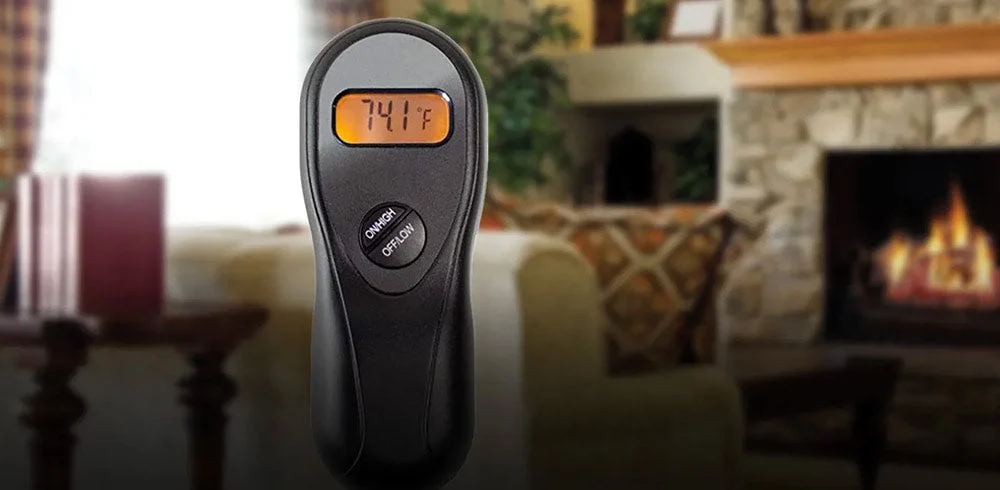
If your Acumen fireplace remote is not working, start with the batteries, receiver setting and remote operating mode. These checks can help narrow down the problem before you purchase replacement parts.
Acumen systems vary by model and receiver type. Identify the model numbers on both the handheld transmitter and receiver before attempting a reset or changing code switches. Use the instructions supplied with your exact system alongside the checks below.
Before You Start
Turn the fireplace off and let it cool before accessing the receiver or battery compartments. Follow the fireplace's access and shutdown instructions. Do not disconnect wiring, bypass controls or open a powered receiver housing.
If you smell gas, stop troubleshooting and follow the fireplace manufacturer's gas-emergency instructions. Leave the area and contact your gas supplier or emergency services from a safe location.
1. Identify the Remote and Receiver
The receiver accepts signals from the handheld remote and communicates with the fireplace controls. Depending on the installation, it may be in an approved fireplace control compartment or mounted elsewhere.
Check the labels and record:
- The transmitter and receiver model numbers.
- Whether the receiver uses batteries or household electrical power.
- The switch positions and any indicator lights.
- Whether the remote has thermostat, timer or child-lock functions.
A receiver powered by household electricity does not automatically deliver household voltage to the fireplace controls. Replacement compatibility depends on both its power source and its control connections.
2. Check the Batteries and Receiver Setting
Replace the transmitter batteries with fresh batteries of the type specified in its manual. If the receiver is battery-operated, replace its batteries too. Follow the polarity markings and avoid mixing old and new batteries.
A working display does not rule out a battery problem elsewhere in the system. Check both components rather than replacing only the handheld remote's batteries.
Look for leakage, corrosion or damaged contacts. If damage is present, stop and have the affected component assessed rather than assuming fresh batteries will restore reliable operation.
On receivers labeled OFF / REMOTE / ON, select REMOTE for handheld operation. The ON position may operate the fireplace independently and prevent the transmitter from controlling it normally. Confirm the behavior in your model's instructions.
3. Check Child Lock, Thermostat and Timer Settings
A remote may appear unresponsive when a child-lock function is active. Check the display and the model's instructions for the correct unlocking procedure; button sequences differ.
For thermostat models, the fireplace may remain off when the sensed room temperature is above the selected target. Use the documented manual operating mode when checking basic response. Also review any timer or automatic-shutoff setting before treating a shutdown as a fault.
4. Check Whether the Fireplace Responds at the Receiver
If the fireplace and remote manuals permit a receiver-switch test, briefly use the receiver's manual ON position while attending the appliance, then return it to the instructed setting.
- The fireplace operates at the receiver but not from the handheld remote: Focus next on transmitter power, settings, coding and transmitter-to-receiver compatibility.
- The fireplace does not operate at the receiver: The cause may involve receiver power, connections or the fireplace's ignition and control system. This does not prove that the remote kit needs replacement.
Standing-pilot systems also depend on the fireplace being prepared for operation as directed in its own manual. Do not use the remote as a substitute for the fireplace's lighting procedure or repeatedly attempt ignition when the appliance is not responding normally.
5. Reset or Recode Only According to Your Model
Some Acumen systems use transmitter code switches and a receiver-learning sequence. Others have different controls. Changing switches without completing the matching procedure can leave the system unable to communicate.
Example: Acumen Model L Coding Sequence
The following applies only to the Model L version whose instructions specify this sequence. Do not apply it to an unidentified Acumen remote.
- With the fireplace off, select the transmitter code-switch pattern as directed in the manual.
- Set the receiver switch to OFF.
- Bring the transmitter close to the receiver.
- Move the receiver switch to REMOTE.
- Install fresh transmitter batteries, then press a transmitter button. The receiver should acknowledge the code with a beep.
- If there is no acknowledgement, remove the transmitter batteries, set the receiver to OFF and wait one minute before repeating the documented sequence.
After coding, check both ON and OFF response while attending the fireplace. If your labels, buttons or instructions differ, use the procedure for your exact model.
6. Troubleshoot a 110V AC Receiver Separately
Plug-in Acumen receiver systems require a different check from battery-powered receivers. Confirm that the receiver is connected to its intended power supply, then use its documented operating or coding procedure.
Do not assume a red button performs the same function on every receiver. The original instructions supplied with the system should determine which button to press and when.
If power is unavailable, a cord or housing is damaged, or electrical protection repeatedly trips, stop using the system and arrange professional assessment. Do not open the receiver or alter wiring to continue troubleshooting.
7. Get Help Before Replacing the System
A failed receiver test, a missed pairing beep or a blank transmitter display does not identify every possible cause. If fresh batteries, correct settings and the documented coding procedure do not restore operation, have the system assessed.
Before ordering a replacement, confirm the fireplace control type, receiver output, approved connections and transmitter compatibility. A transmitter that looks similar is not necessarily compatible with your receiver.
Browse our Acumen remotes and components or fireplace remote controls once the required replacement type has been identified.
Acumen Fireplace Remote FAQs
Why Does My Acumen Remote Display Work but the Fireplace Does Not Respond?
The transmitter display does not confirm that the receiver has power or that the fireplace is ready to operate. Check receiver batteries or power, the receiver setting, remote operating mode and the model-specific coding procedure.
Should I Replace the Remote if the Fireplace Does Not Work in Receiver ON Mode?
Not automatically. A failed receiver ON test can involve receiver power, connections or a fireplace ignition or control problem. Have the cause assessed before buying a replacement remote system.
Do All Acumen Remotes Use the Same Reset Procedure?
No. Reset and coding procedures vary by transmitter, receiver and model version. Identify both components and follow the matching instructions rather than applying a generic button sequence.
Final Thoughts
Start Acumen remote troubleshooting with the model information, fresh batteries and correct operating settings. Then use the receiver test and coding procedure permitted for your exact system to narrow down the problem.
If you need help identifying your remote or comparing replacement options, contact our product specialists. Include photos of the transmitter and receiver labels, your fireplace model and a description of what happens during testing. A qualified fireplace service technician can assess ignition, wiring and appliance faults that require on-site diagnosis.